The Problem with Centralized Accounts
When you create a social media account, you are not building a home; you are renting a room in someone else’s house. You hand over your email, phone number, and personal data to a central provider in exchange for access. This convenience comes with a hidden cost: total dependency. If the platform changes its terms, suspends your account for an algorithmic error, or suffers a massive data breach, you lose everything. Your connections, your content, and your digital reputation vanish overnight because you never truly owned them.
Centralized identity systems create single points of failure. A single database holding millions of user credentials is a high-value target for hackers. When these breaches occur, the damage is systemic. Millions of users face identity theft simultaneously, often without warning. Unlike decentralized identity, which distributes control and verification across a network, centralized models concentrate risk. You are vulnerable not just to the platform’s policies, but to the security practices of a single corporate entity.
This model places all your digital eggs in one basket. If that basket breaks, there is no backup.
The solution lies in shifting control back to the user. Decentralized identity allows individuals to securely control their digital identity without relying on a central authority. By using distributed ledger technologies, verification becomes a peer-to-peer process rather than a gatekept transaction. You hold the keys, and no single company can lock you out arbitrarily. This shift is not just about security; it is about sovereignty over your own digital existence.
Set up a decentralized identifier
A decentralized identifier (DID) is a globally unique identifier that you control, not a service provider. Unlike a username on a centralized platform, a DID is persistent and verifiable without a central authority. This section walks you through the technical process of generating and storing your DID.
The core of a DID is a cryptographic key pair. The private key proves ownership, while the public key allows others to verify your identity. By generating these keys locally, you ensure that no third party holds the keys to your digital identity.
Generate the key pair
Start by creating a cryptographic key pair on your device. You can use standard libraries like @stablelib/ed25519 or built-in Web Crypto APIs. This step produces a private key (kept secret) and a public key (shared openly). The private key is the only thing needed to sign credentials and prove you own the DID.
Create the DID document
Next, construct the DID document. This JSON structure maps your DID string to the public key and service endpoints. For example, a did:key DID embeds the public key directly in the identifier, eliminating the need for a blockchain. A did:ethr DID registers the key on the Ethereum blockchain. Choose a method based on your need for permanence versus privacy.
Store the private key securely
Store your private key in a secure environment. Use a hardware wallet, a secure enclave, or an encrypted keychain. Never store the private key in plain text or in browser local storage. If the key is compromised, anyone can impersonate you. Backup the key using a mnemonic phrase or encrypted file, but keep the backup offline.
Register the DID
If your chosen DID method requires registration (like did:ethr or did:powr), submit a transaction to the corresponding blockchain or distributed ledger. This step writes the initial DID document to the network, making it publicly discoverable. For did:key, no registration is needed; the identifier is self-contained.
Verify the setup
Finally, verify that your DID is active. Use a DID resolver to fetch your DID document. Check that the public key in the document matches the one you generated. You can also test by signing a small message with your private key and verifying the signature using the public key from your DID document.
Linking credentials to your identity
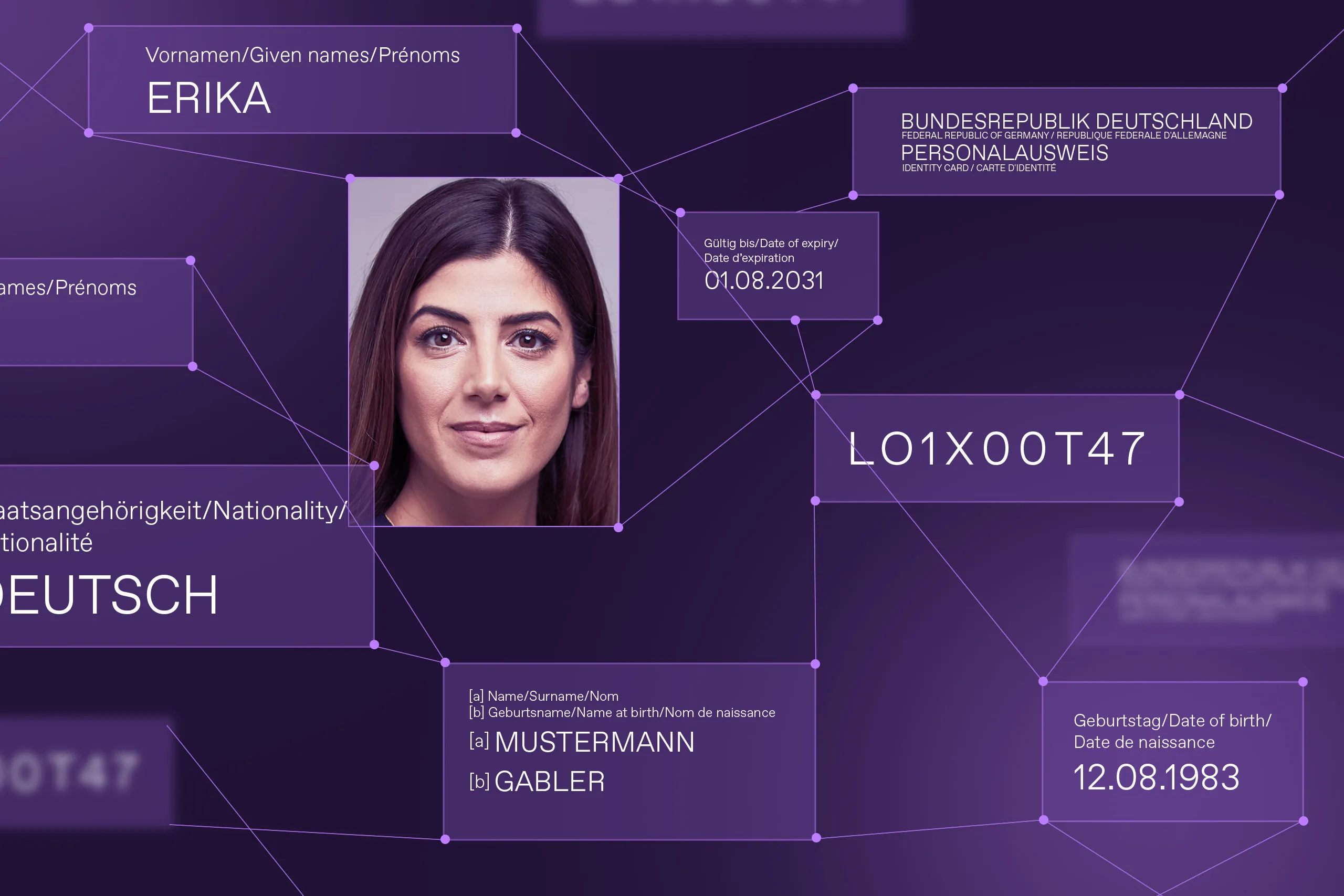
Verifiable Credentials (VCs) function as digital attestations that attach specific attributes or reputation scores to your Decentralized Identifier (DID). Think of your DID as a digital wallet and the VC as a credential card inside it, such as a driver's license or university degree. This structure allows you to prove who you are without handing over your entire identity.
The process begins when a trusted Issuer—like a government agency or educational institution—signs a credential containing your attributes. You, as the Holder, receive this signed data and store it securely in your digital wallet. The issuer’s cryptographic signature ensures the data is authentic and has not been tampered with since issuance.
When a Verifier requests proof of identity, you select only the specific credentials needed for that transaction. For example, if a website requires you to be over 21, you present a VC that proves your age without revealing your name, address, or exact birth date. This selective disclosure minimizes data exposure and prevents unnecessary tracking.
This model shifts control from centralized databases to the individual. As noted by Entrust, decentralized identity gives users full ownership and control of their identities and associated attributes. By keeping sensitive data local and sharing only what is necessary, you maintain privacy while still participating in trusted digital ecosystems.
Connect to a Web3 social network
Logging into a decentralized social platform replaces passwords with cryptographic proof. Instead of handing your credentials to a central server, you present a verified credential (VC) directly to the application. This process ensures the platform knows you are who you say you are without storing your private data.
1. Open the decentralized app
Navigate to your preferred censorship-resistant social platform. Unlike traditional apps, these often run on decentralized protocols like Lens or Farcaster. Look for a "Connect Wallet" or "Sign In with DID" button on the login screen. This initiates the handshake between your identity wallet and the social protocol.
2. Select your identity wallet
Choose the wallet that holds your decentralized identifiers (DIDs). Popular options include MetaMask, Coinbase Wallet, or specialized identity wallets like Spruce ID. Ensure the wallet is unlocked and connected to the correct network. The app will request permission to view your public DID address.
3. Sign the authentication challenge
The social platform sends a unique cryptographic challenge to your wallet. This is a one-time signature that proves you control the private key associated with your DID. Review the signature request details carefully. Once you approve, the wallet signs the message, confirming your identity without revealing any personal information.
4. Present your verified credentials
After signing, the app may request specific verified credentials to grant access. For example, you might need to prove you are human via a Sybil-resistance check or show a reputation score from a trusted issuer. Your wallet will select the relevant VC from your storage and send the proof to the app. The app verifies the signature against the issuer's public key.
5. Access your profile
Once the credentials are validated, you are logged in. Your profile loads from the decentralized network, ensuring no single entity can delete your content or freeze your account. You can now post, message, and interact with the community using your self-sovereign identity.
Common Mistakes in Identity Setup
Even with robust decentralized identity infrastructure, user error remains the weakest link. Most security breaches in this space stem from poor key management or choosing incompatible standards. Treat your private keys like physical house keys: losing them means losing access forever, and sharing them means losing control entirely.
Losing Private Keys
In decentralized systems, there is no "forgot password" button. If you lose the private key associated with your DID (Decentralized Identifier), your credentials and associated assets are gone. This isn't a technical glitch; it's a fundamental design feature of self-sovereign identity. To avoid this, use hardware wallets or reputable key management services that offer secure backup mechanisms. Never store private keys in plain text files or unencrypted cloud storage.
Using Non-Standard DID Methods
Not all DIDs are created equal. Using a proprietary or non-standard DID method can lock you into a specific ecosystem, limiting interoperability with other platforms and verifiable credential issuers. Always choose DID methods that comply with W3C standards to ensure your identity works across different applications. Check the W3C DID Core specification for approved methods before setting up your identity.
Weak Seed Phrases
Many users create seed phrases that are easy to guess, such as birthdays or common phrases. Attackers use automated tools to brute-force weak seeds. Always generate random, high-entropy phrases and write them down on paper stored in a secure physical location. Never digitize your seed phrase.
Ignoring Credential Expiration
Verifiable credentials often have expiration dates. Failing to update or renew them can lead to sudden loss of access to services. Set up reminders to check credential validity regularly.
Frequently asked: what to check next
What is an example of a decentralized ID?
A decentralized identifier (DID) is a globally unique identifier that enables an entity to be identified in a manner that is verifiable and persistent without relying on a central registry. Practical examples include distributed ledgers, decentralized file systems, and peer-to-peer networks. These systems allow users to maintain control over their own identity data rather than depending on a single central authority. For a technical breakdown of how these identifiers function, you can refer to the W3C DID specification.
How does decentralized identity work in practice?
Decentralized identity shifts control from centralized institutions to the individual. Instead of storing personal data on a server owned by a corporation, your identity credentials are stored in a digital wallet on your device. When you need to prove who you are, you share only the necessary information with the verifier, who can cryptographically confirm its authenticity against the blockchain or distributed ledger. This process ensures privacy and reduces the risk of large-scale data breaches.
What is the difference between decentralized and centralized identity?
In a centralized system, a single entity, such as a government or tech company, stores and controls all identity data. If that central database is compromised, millions of records are exposed. In contrast, decentralized identity distributes this data across a network. You hold your own credentials, and verification happens through cryptographic proofs. This model eliminates single points of failure and gives users the power to decide who accesses their information and for how long.
Work through Decentralized Identity Protocols
No comments yet. Be the first to share your thoughts!